Google Search Ads: An Independent Case Study.
Introduction
After taking a comprehensive Digital Marketing course, it was time to implement what I had learned. Since the field of Paid Search piqued my interest, I planned on running a Google Search campaign and funded the project out of pocket with a $100 total and a $10 daily budget. This was to get real hands-on experience by actually doing the "thing," rather than watching theoretical videos.
Introduction
After taking a comprehensive Digital Marketing course, it was time to implement what I had learned. Since the field of Paid Search piqued my interest, I planned on running a Google Search campaign and funded the project out of pocket with a $100 total and a $10 daily budget. This was to get real hands-on experience by actually doing the "thing," rather than watching theoretical videos.
TLDR:
Validated my idea doing keyword research to find low-cost opportunities
Planned out everything in Excel (e.g. keywords, ad groups, and ad copy)
Built out the assets (e.g. lead magnet in Canva + squeeze & thank you pages in systeme.io)
Set up the technical side (connected custom domain, professional email, and automated email delivery sequence)
Installed global and conversion event tracking to measure results
Launched and optimised a Google Search campaign
TLDR:
Validated my idea doing keyword research to find low-cost opportunities
Planned out everything in Excel (e.g. keywords, ad groups, and ad copy)
Built out the assets (e.g. lead magnet in Canva + squeeze & thank you pages in systeme.io)
Set up the technical side (connected custom domain, professional email, and automated email delivery sequence)
Installed global and conversion event tracking to measure results
Launched and optimised a Google Search campaign
The idea and planning
My idea was to create a lead magnet and promote the free version (and its benefits) of a digital marketing platform called Systeme.io to people who are looking for an all-in-one solution that is diverse, free, and easy to get started with.
Before taking action on anything, I needed to determine whether the idea was viable. I did this using the Keyword Planner in Google Ads to see if there were low-cost opportunities available, as I only had a budget of $10 per day. I quickly found out that the website and funnel builder niche is competitive and expensive; however, I managed to find a few affordable options that I went with.
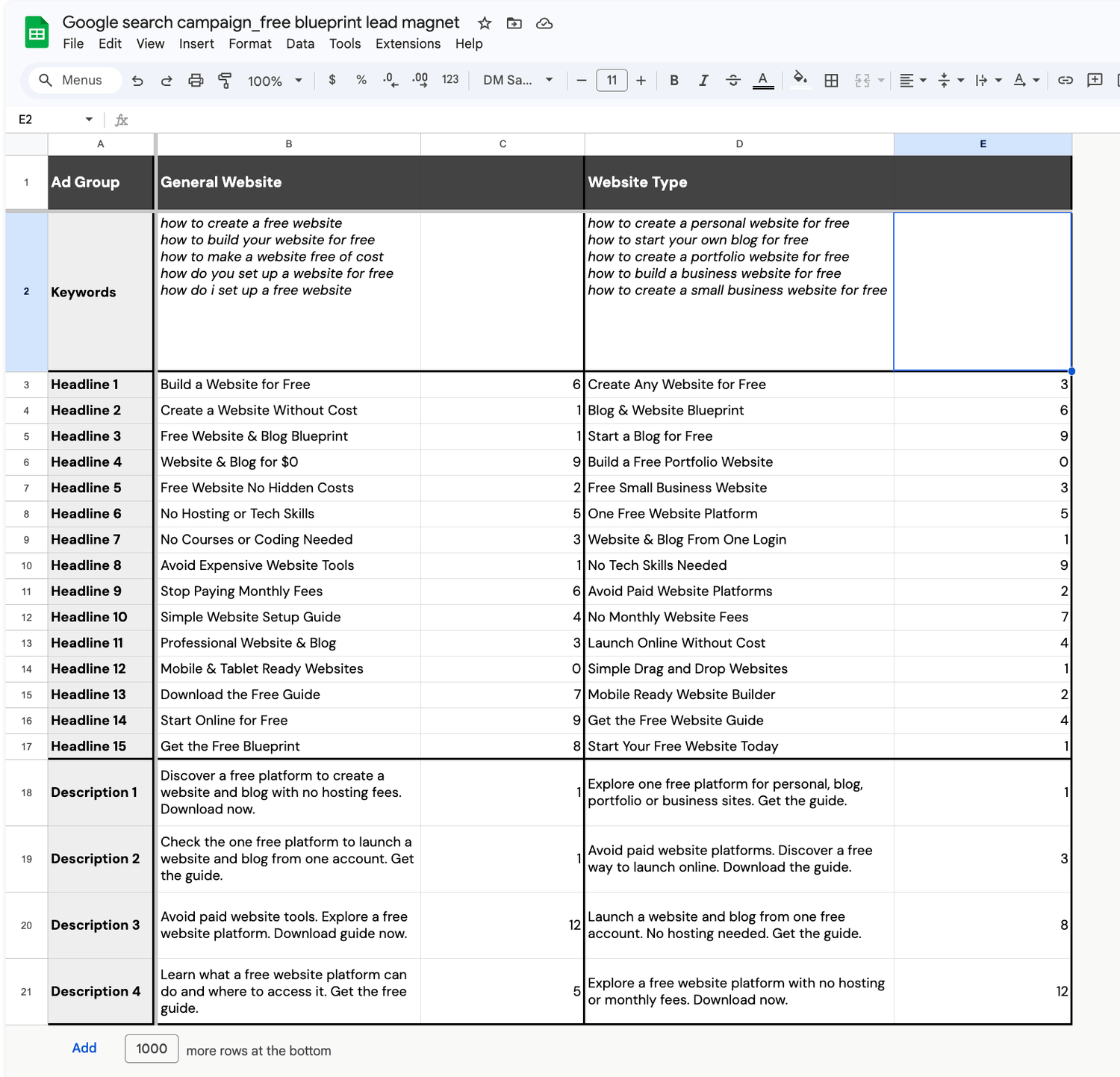
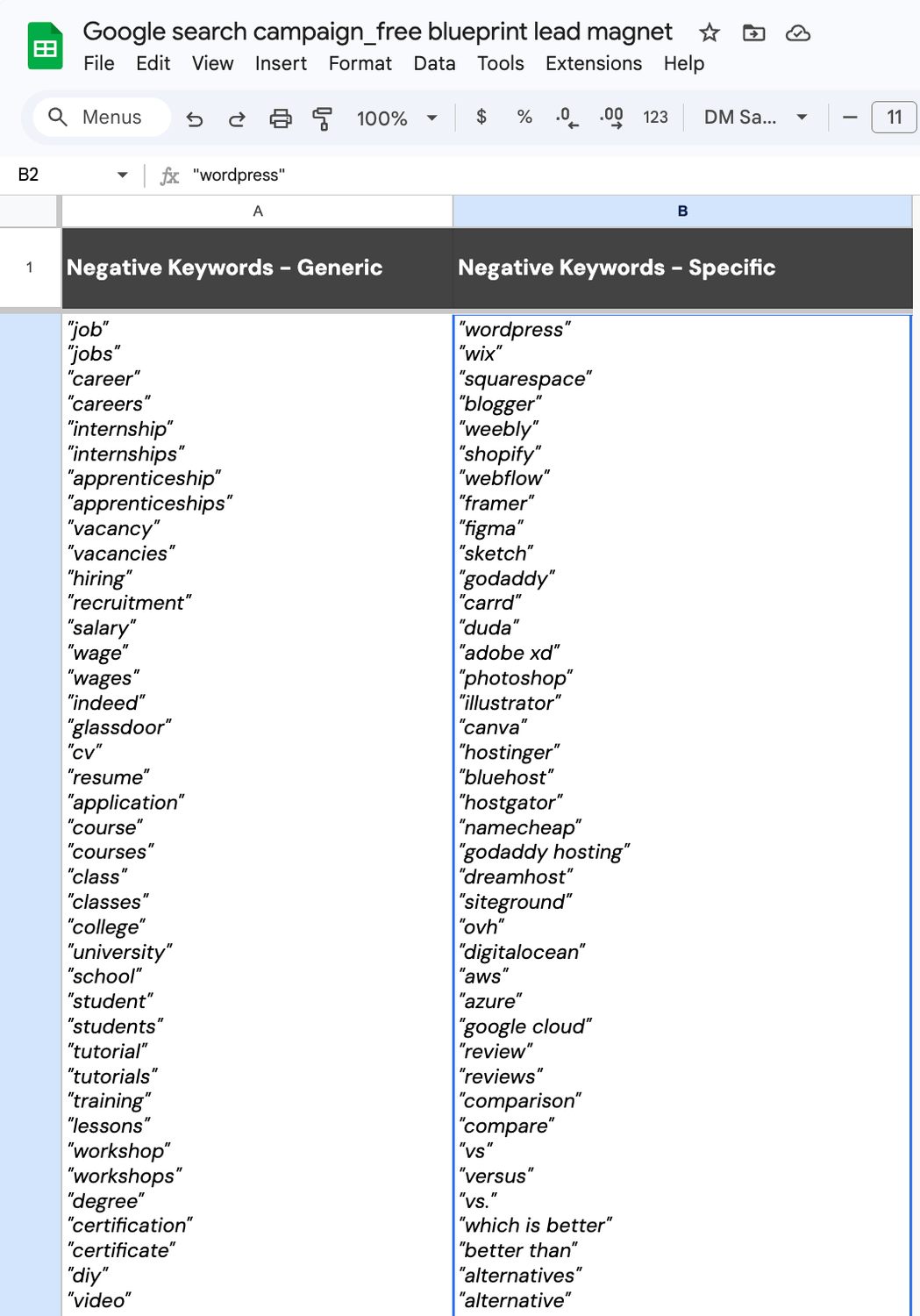
I planned out the entire campaign in Excel before setting it up inside of Google Ads. For the sake of simplicity, I created 2 ad groups, wrote 15 headlines and 4 descriptions each, as well as an extensive list of negative keywords that I would later add on a campaign level to prevent the ads from getting triggered for irrelevant keywords.
The idea and planning
My idea was to create a lead magnet and promote the free version (and its benefits) of a digital marketing platform called Systeme.io to people who are looking for an all-in-one solution that is diverse, free, and easy to get started with.
Before taking action on anything, I needed to determine whether the idea was viable. I did this using the Keyword Planner in Google Ads to see if there were low-cost opportunities available, as I only had a budget of $10 per day. I quickly found out that the website and funnel builder niche is competitive and expensive; however, I managed to find a few affordable options that I went with.
I planned out the entire campaign in Excel before setting it up inside of Google Ads. For the sake of simplicity, I created 2 ad groups, wrote 15 headlines and 4 descriptions each, as well as an extensive list of negative keywords that I would later add on a campaign level to prevent the ads from getting triggered for irrelevant keywords.
Asset Creation
I designed a lead magnet in Canva that highlights the features of Systeme.io and inserted my affiliate link throughout the PDF, which would enable me to track possible sign-ups via the backend.
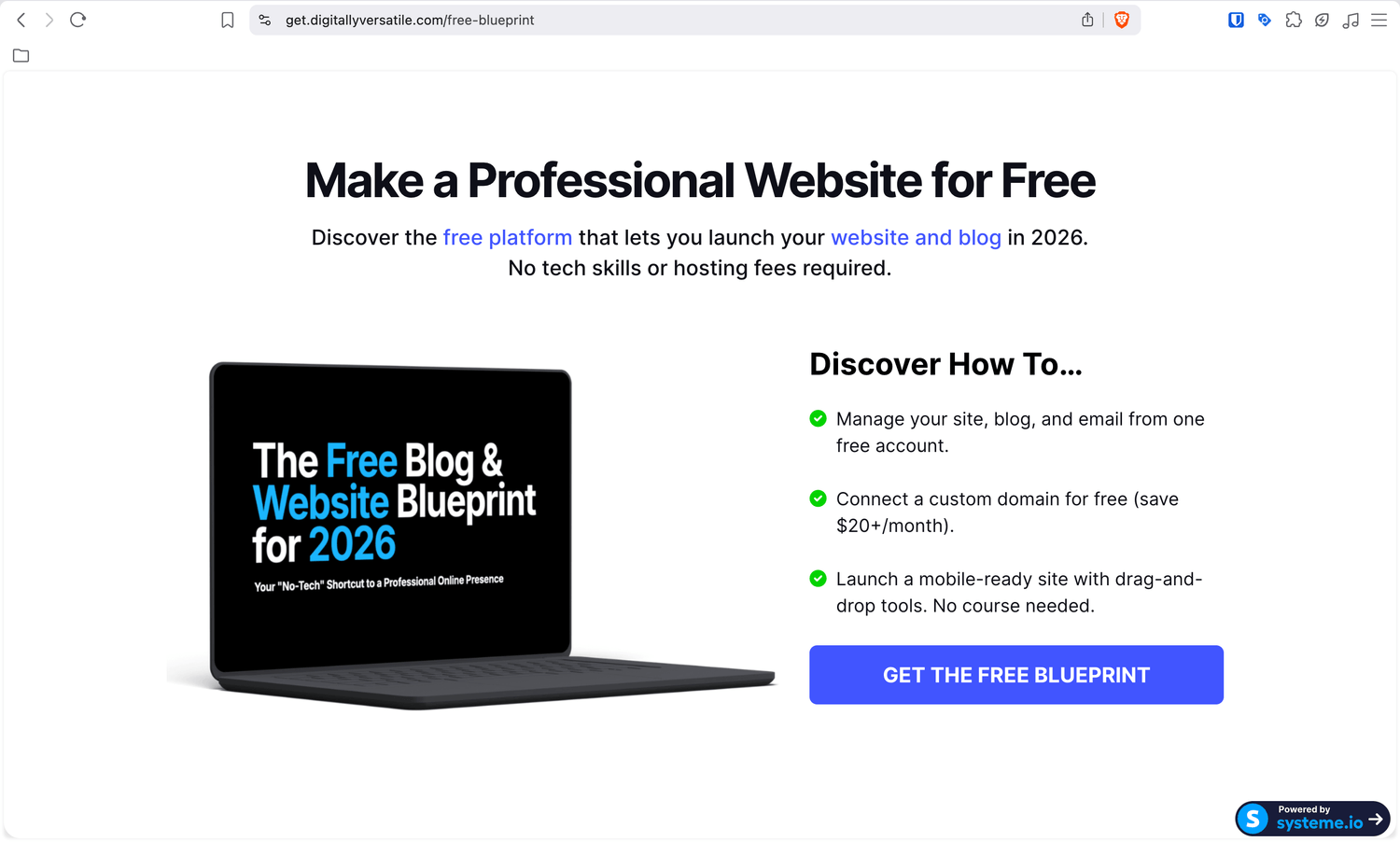
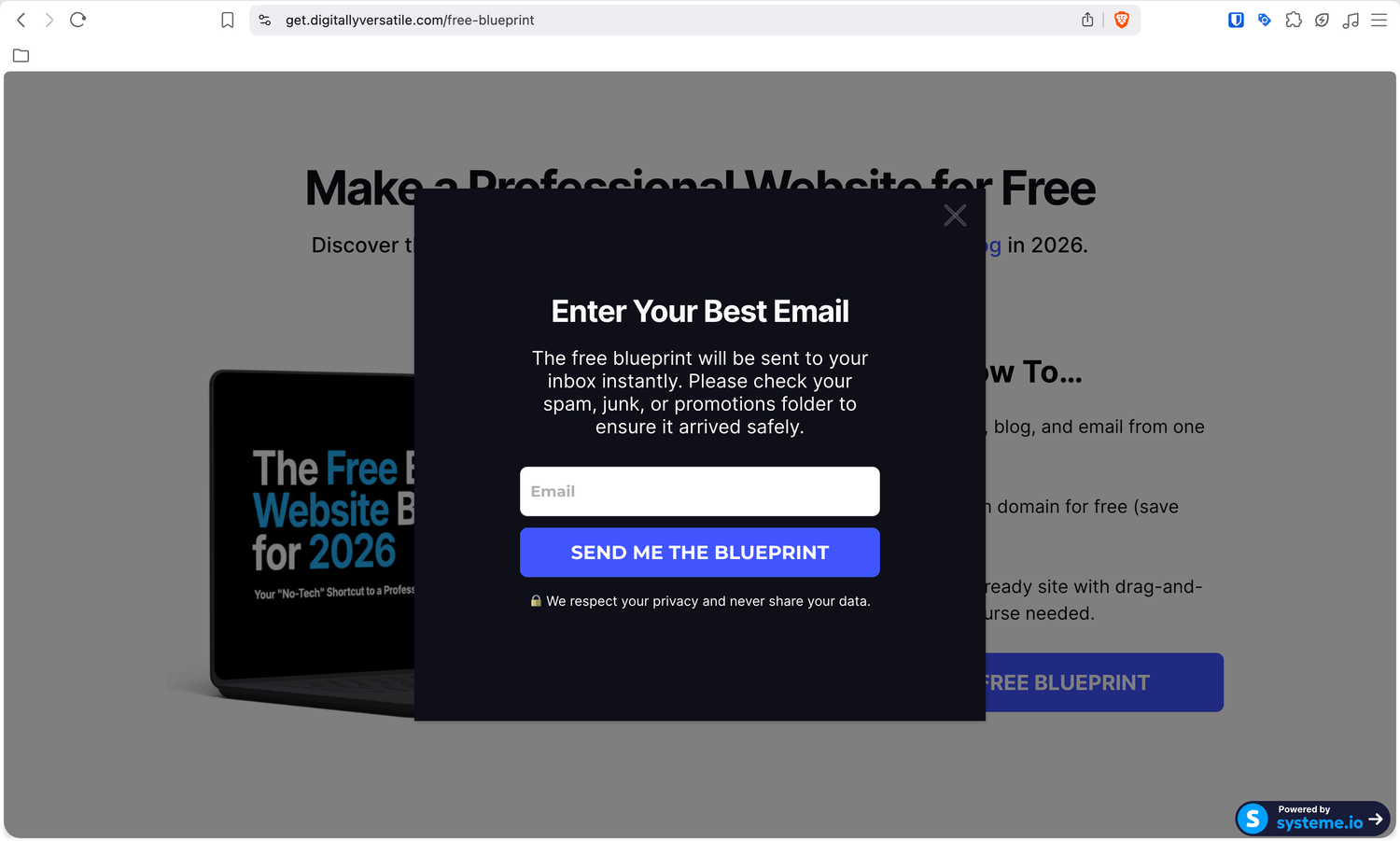
I used Systeme.io to build a Squeeze Page with an opt-in pop-up for prospects to enter their email address. The page setup followed a classic pattern with a catchy headline, an image of the guide, and three enticing bullet points, followed by a button that triggers the pop-up.
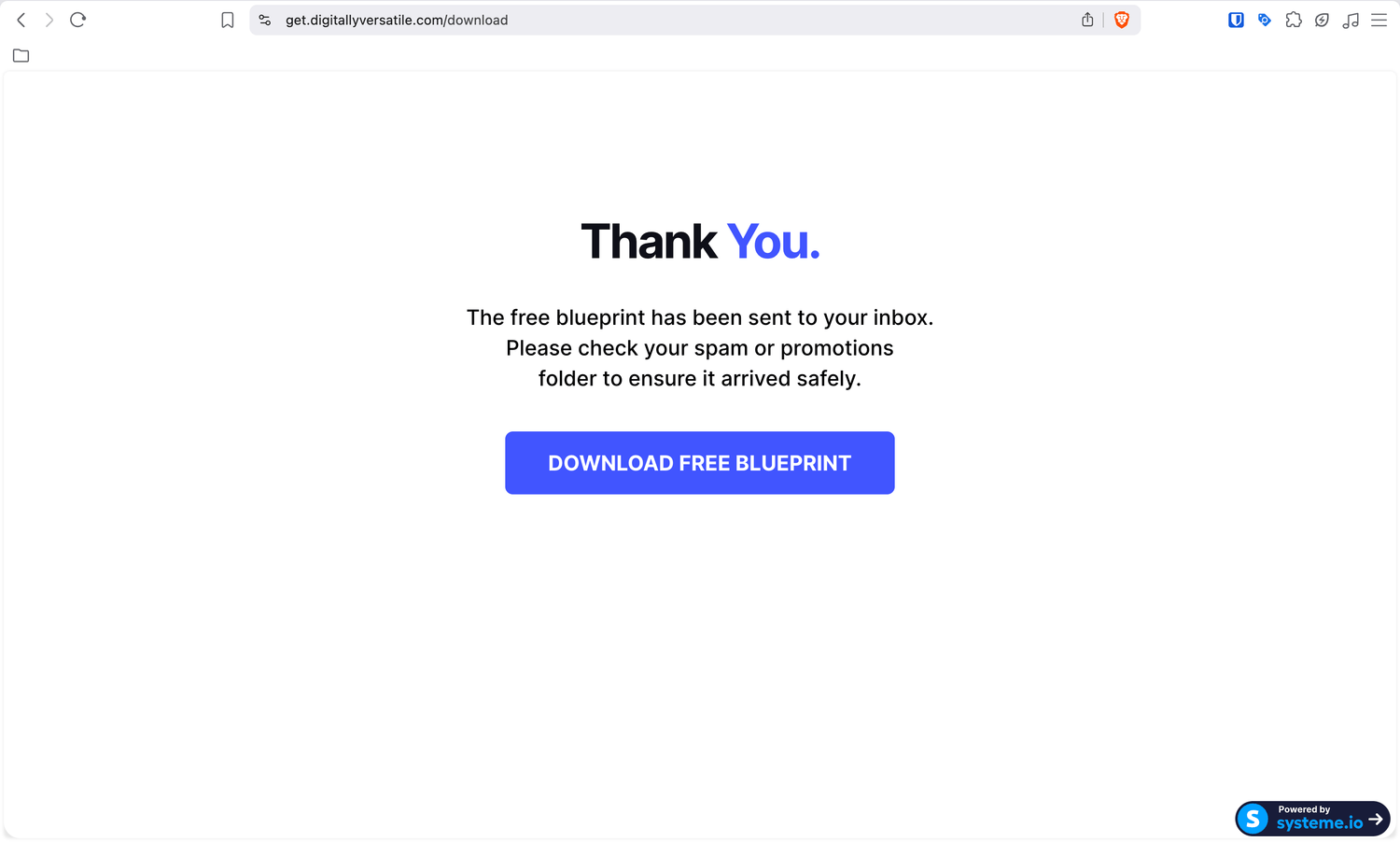
Once submitted, a Thank You/Download Page would appear where the prospect could download the guide. To satisfy Google's requirements, I included legal pages and links at the bottom of the page (Privacy Policy, Terms and Conditions, and Contact).
Asset Creation
I designed a lead magnet in Canva that highlights the features of Systeme.io and inserted my affiliate link throughout the PDF, which would enable me to track possible sign-ups via the backend.
I used Systeme.io to build a Squeeze Page with an opt-in pop-up for prospects to enter their email address. The page setup followed a classic pattern with a catchy headline, an image of the guide, and three enticing bullet points, followed by a button that triggers the pop-up.
Once submitted, a Thank You/Download Page would appear where the prospect could download the guide. To satisfy Google's requirements, I included legal pages and links at the bottom of the page (Privacy Policy, Terms and Conditions, and Contact).
Additionally, I set up an email sequence to deliver the lead magnet. Two emails in total: one to deliver the lead magnet and another that followed up with the download link again.
Additionally, I set up an email sequence to deliver the lead magnet. Two emails in total: one to deliver the lead magnet and another that followed up with the download link again.
Technical Setup
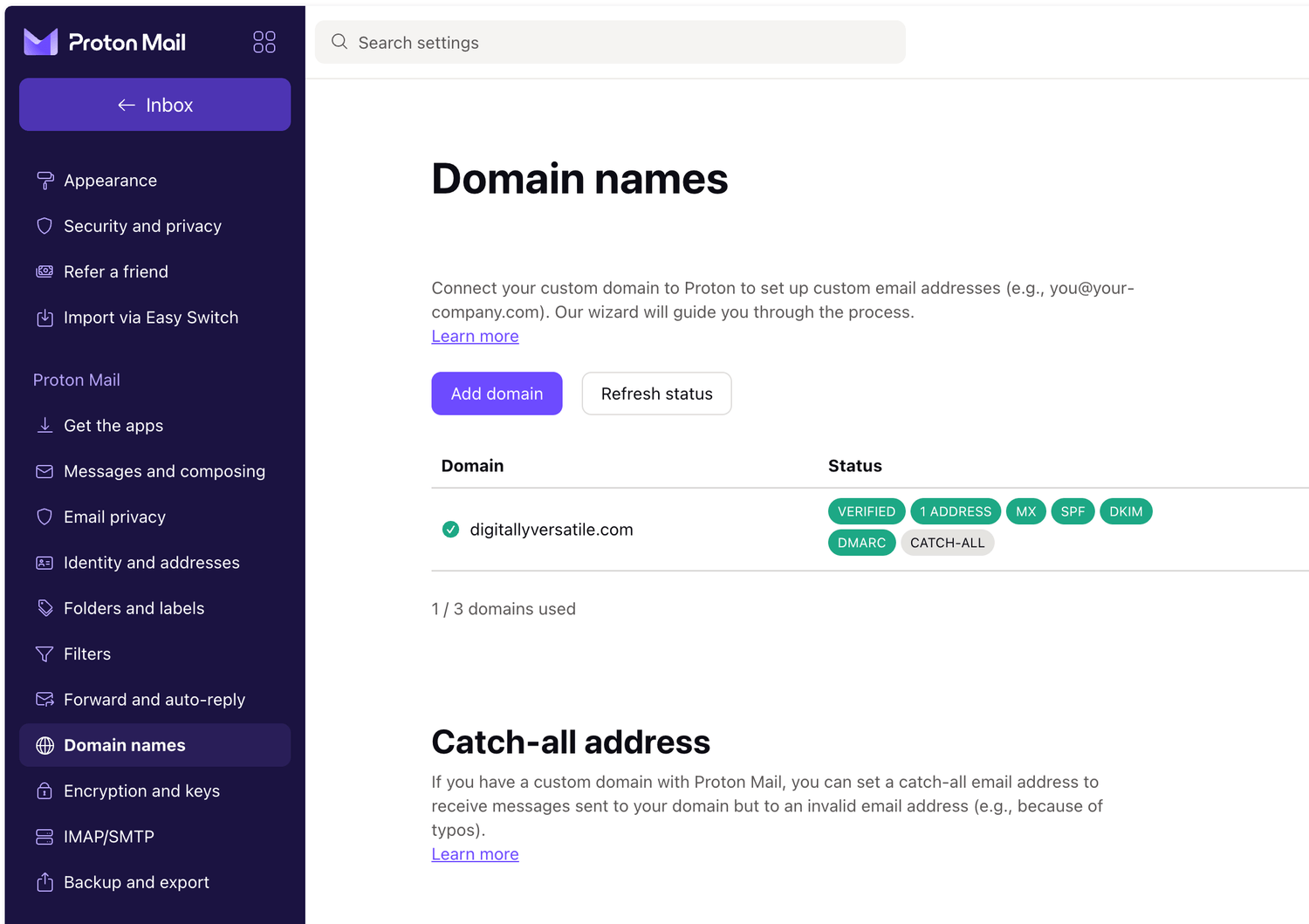
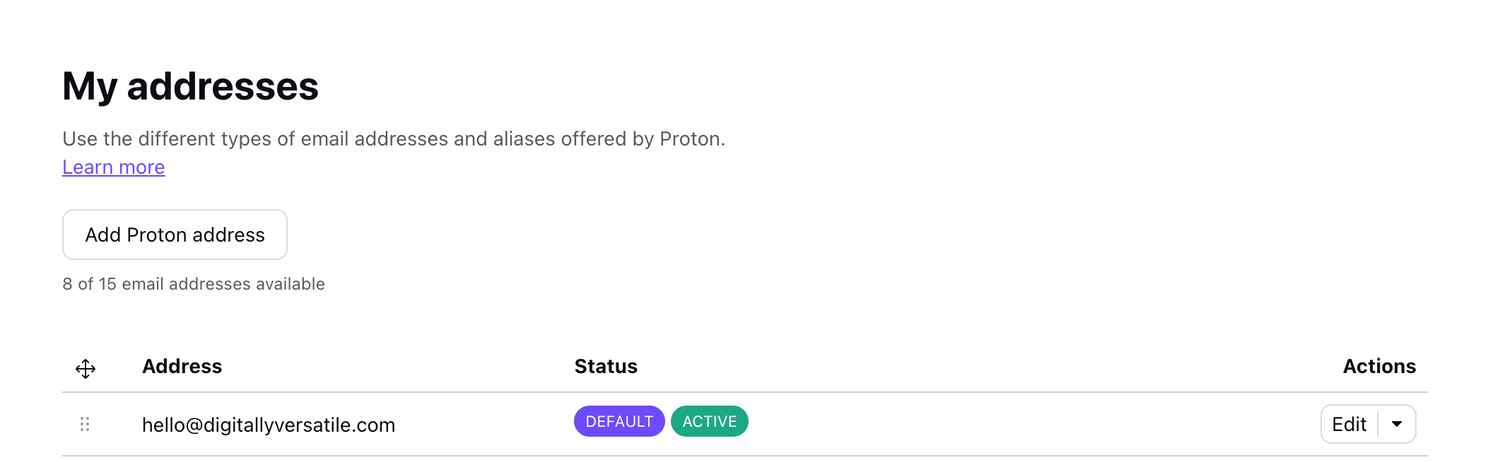
I connected a custom domain I purchased on Dynadot to my funnel in Systeme.io and set up a professional domain email using ProtonMail. This was to ensure the delivery email actually landed in the prospect's inbox rather than their junk folder. This required me to add multiple DNS records under domain management inside of Dynadot.
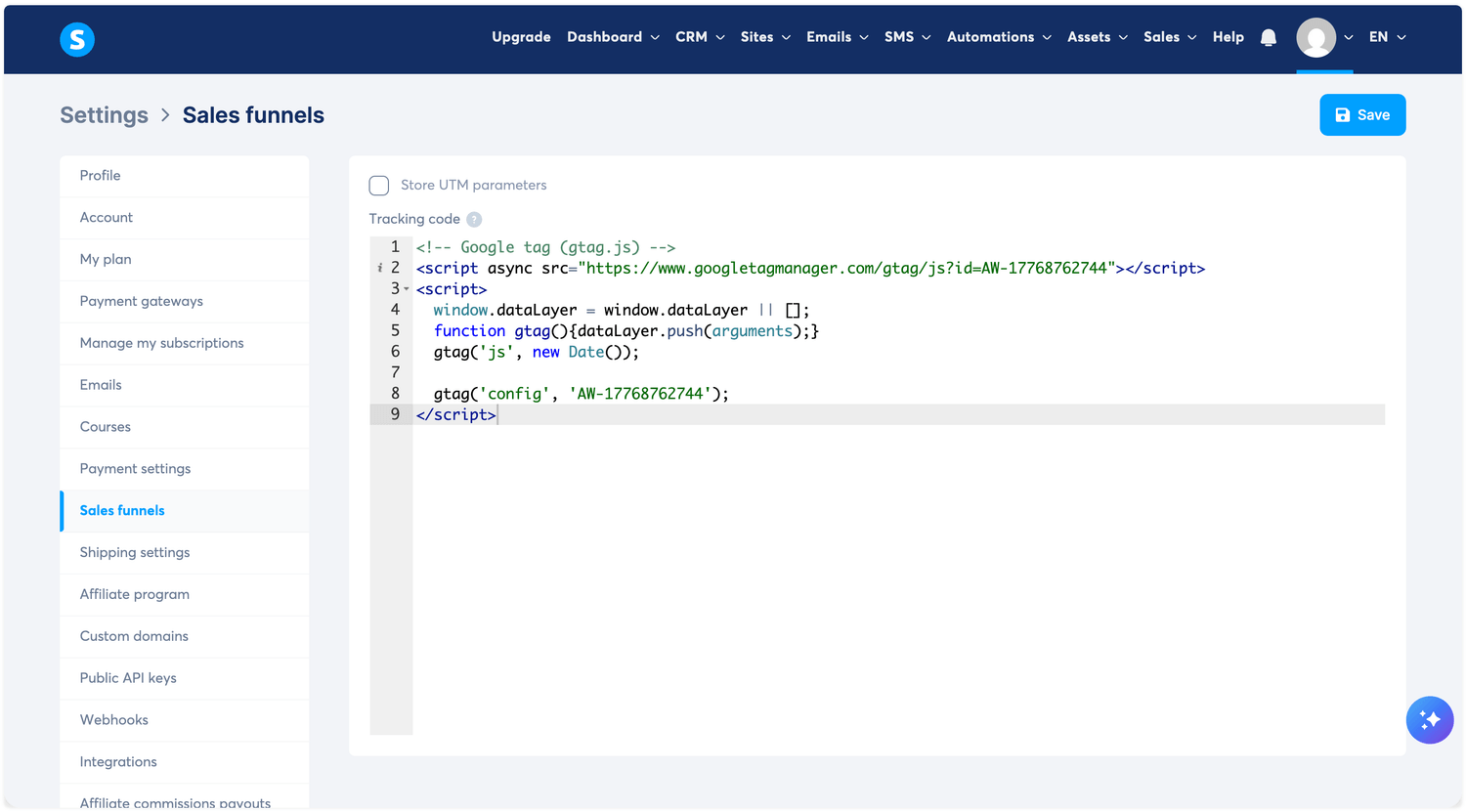
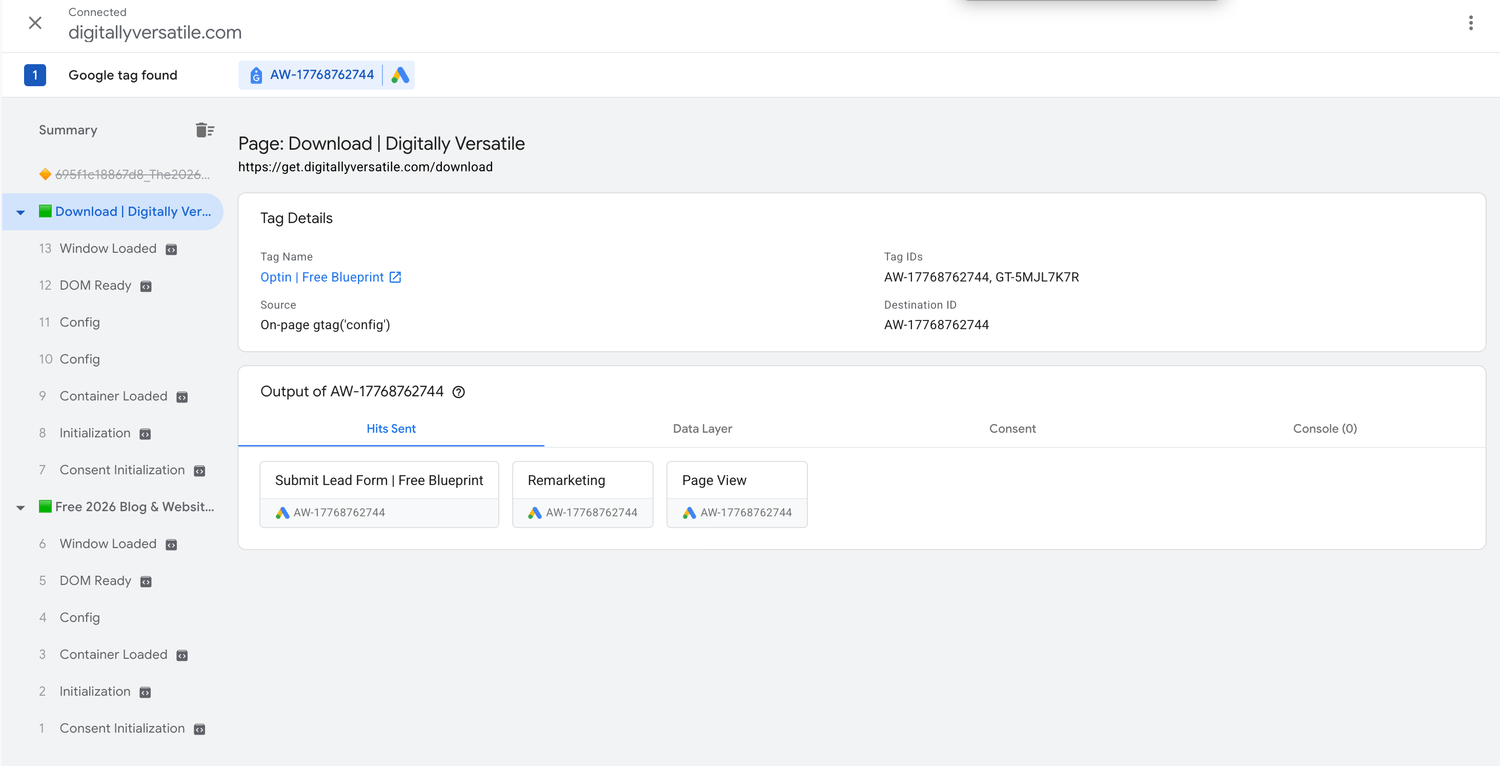
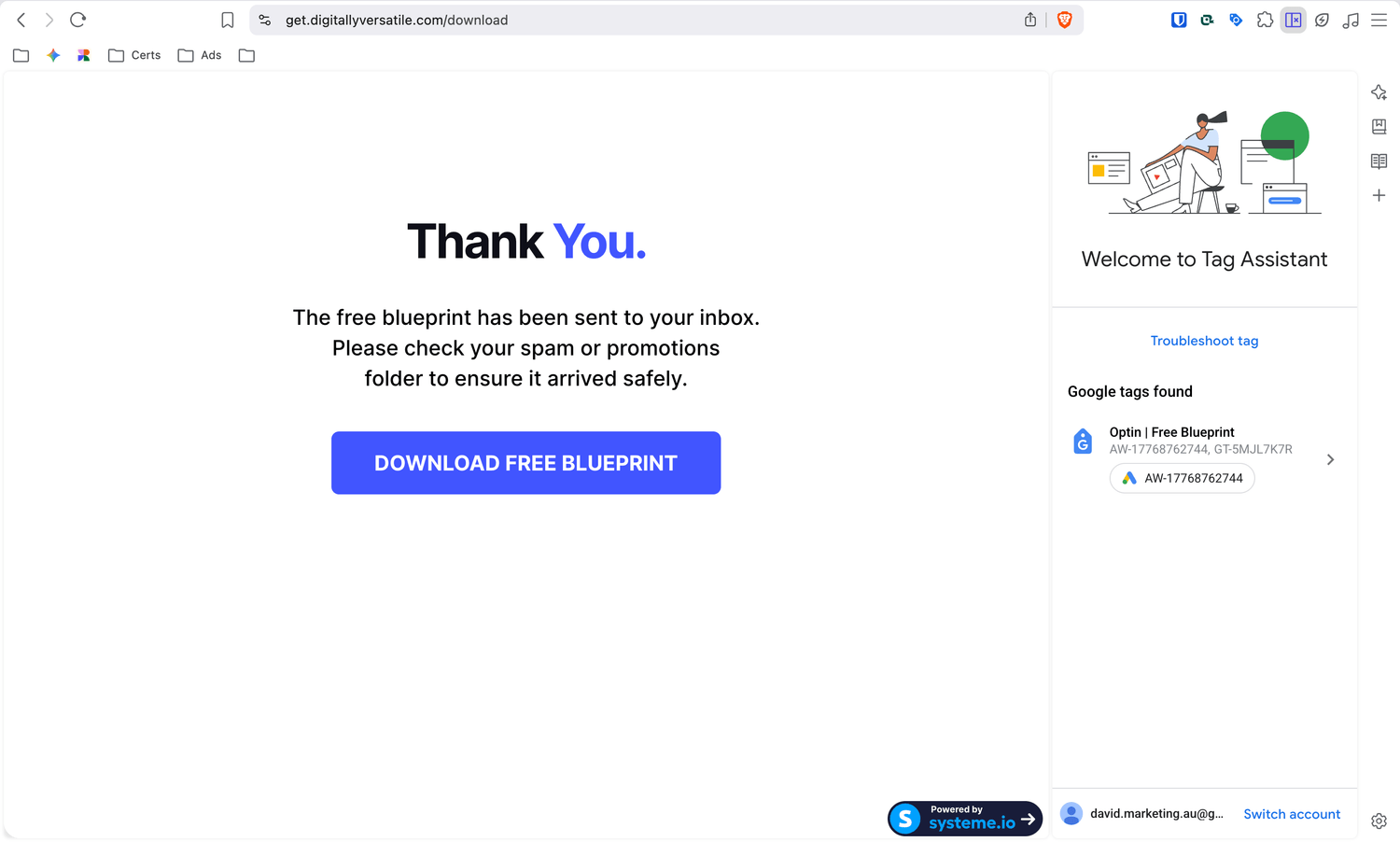
I then went ahead and created a "Submit Lead Form" conversion action. This provided me with a Global Site Tag code snippet, which I added to the header of my entire funnel to track visitors coming from the ad. It also provided an Event code snippet that I added to the Thank You/Download page to track conversions once the opt-in form is submitted. I validated this workflow using the Google Tag Assistant and received all green lights.
Technical Setup
I connected a custom domain I purchased on Dynadot to my funnel in Systeme.io and set up a professional domain email using ProtonMail. This was to ensure the delivery email actually landed in the prospect's inbox rather than their junk folder. This required me to add multiple DNS records under domain management inside of Dynadot.
I then went ahead and created a "Submit Lead Form" conversion action. This provided me with a Global Site Tag code snippet, which I added to the header of my entire funnel to track visitors coming from the ad. It also provided an Event code snippet that I added to the Thank You/Download page to track conversions once the opt-in form is submitted. I validated this workflow using the Google Tag Assistant and received all green lights.
Ad creation and Launch
Now finally, it was time to set up the RSAs (Responsive Search Ads) inside of Google Ads. I created the ads step-by-step using the campaign setup interface and referencing the Excel sheet I had prepared, adding keywords, negative keywords, ad groups, and ad copy.
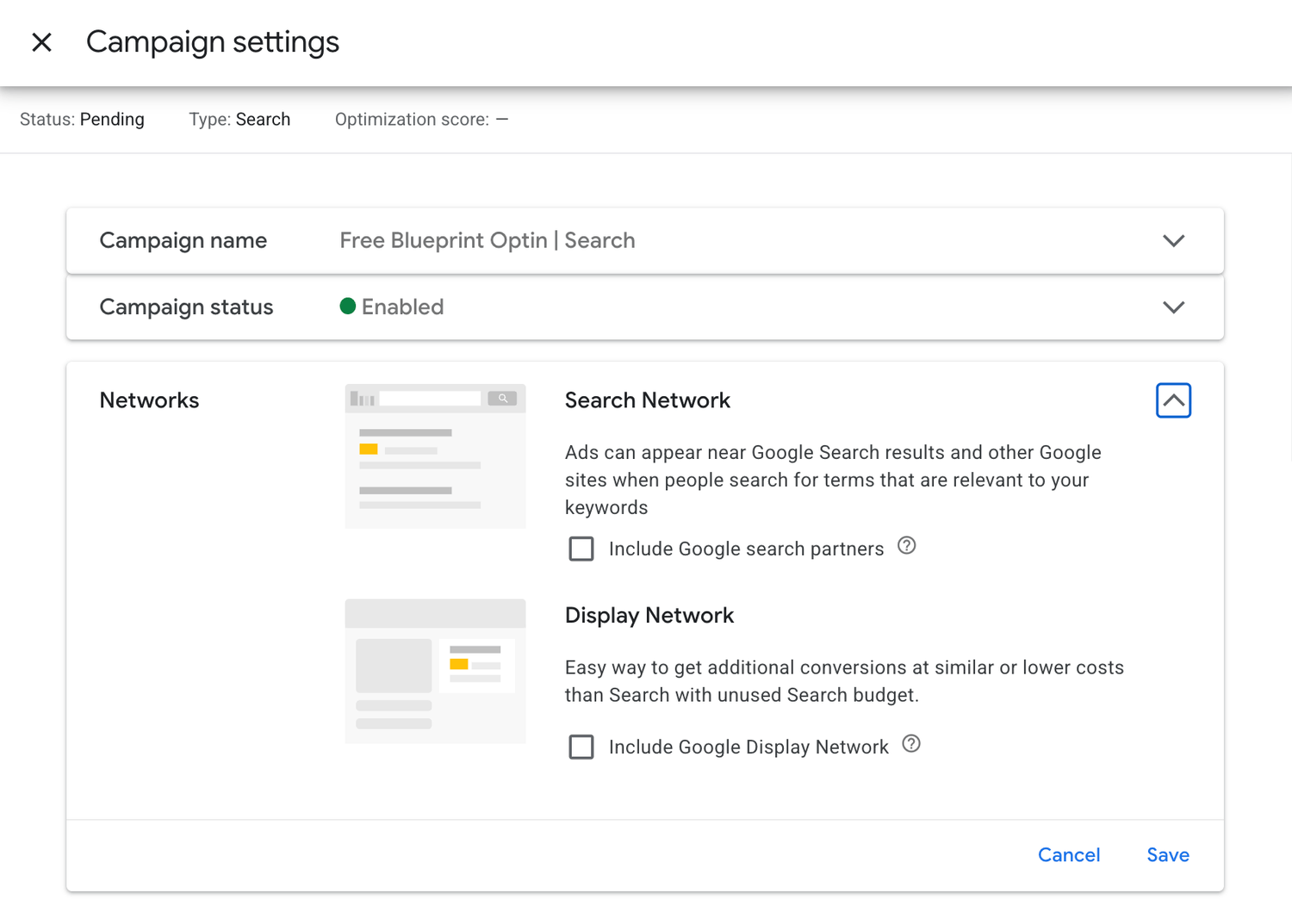
For my bidding strategy, I initially chose Maximize Clicks to get as many clicks to my ads as possible. At least, that's what I thought would happen. For my daily budget, I set a value of $10 and a Max CPC of $1.35 (which seemed to align with the lower-range bid values of the keywords I chose). I disabled all other automated suggestions by Google to remain in control of my ad spend.
Once launched, the ad entered a learning phase of up to 5 days. It received a few impressions and clicks but was never able to spend the daily budget of $10—instead spending a small amount of $1–$2. After a few days, I made the decision to optimise the performance as I wasn't getting the results I was hoping for.
Note: On day 6 of my campaign, I actually had a sign-up which I was able to track through my Systeme.io backend. This meant the landing page itself wasn't the issue, but rather the strategy behind it. This conversion wasn't recorded inside of Google Ads, as the user was potentially using an ad blocker that refused to send data back to Google.
Ad creation and Launch
Now finally, it was time to set up the RSAs (Responsive Search Ads) inside of Google Ads. I created the ads step-by-step using the campaign setup interface and referencing the Excel sheet I had prepared, adding keywords, negative keywords, ad groups, and ad copy.
For my bidding strategy, I initially chose Maximize Clicks to get as many clicks to my ads as possible. At least, that's what I thought would happen. For my daily budget, I set a value of $10 and a Max CPC of $1.35 (which seemed to align with the lower-range bid values of the keywords I chose). I disabled all other automated suggestions by Google to remain in control of my ad spend.
Once launched, the ad entered a learning phase of up to 5 days. It received a few impressions and clicks but was never able to spend the daily budget of $10—instead spending a small amount of $1–$2. After a few days, I made the decision to optimise the performance as I wasn't getting the results I was hoping for.
Note: On day 6 of my campaign, I actually had a sign-up which I was able to track through my Systeme.io backend. This meant the landing page itself wasn't the issue, but rather the strategy behind it. This conversion wasn't recorded inside of Google Ads, as the user was potentially using an ad blocker that refused to send data back to Google.
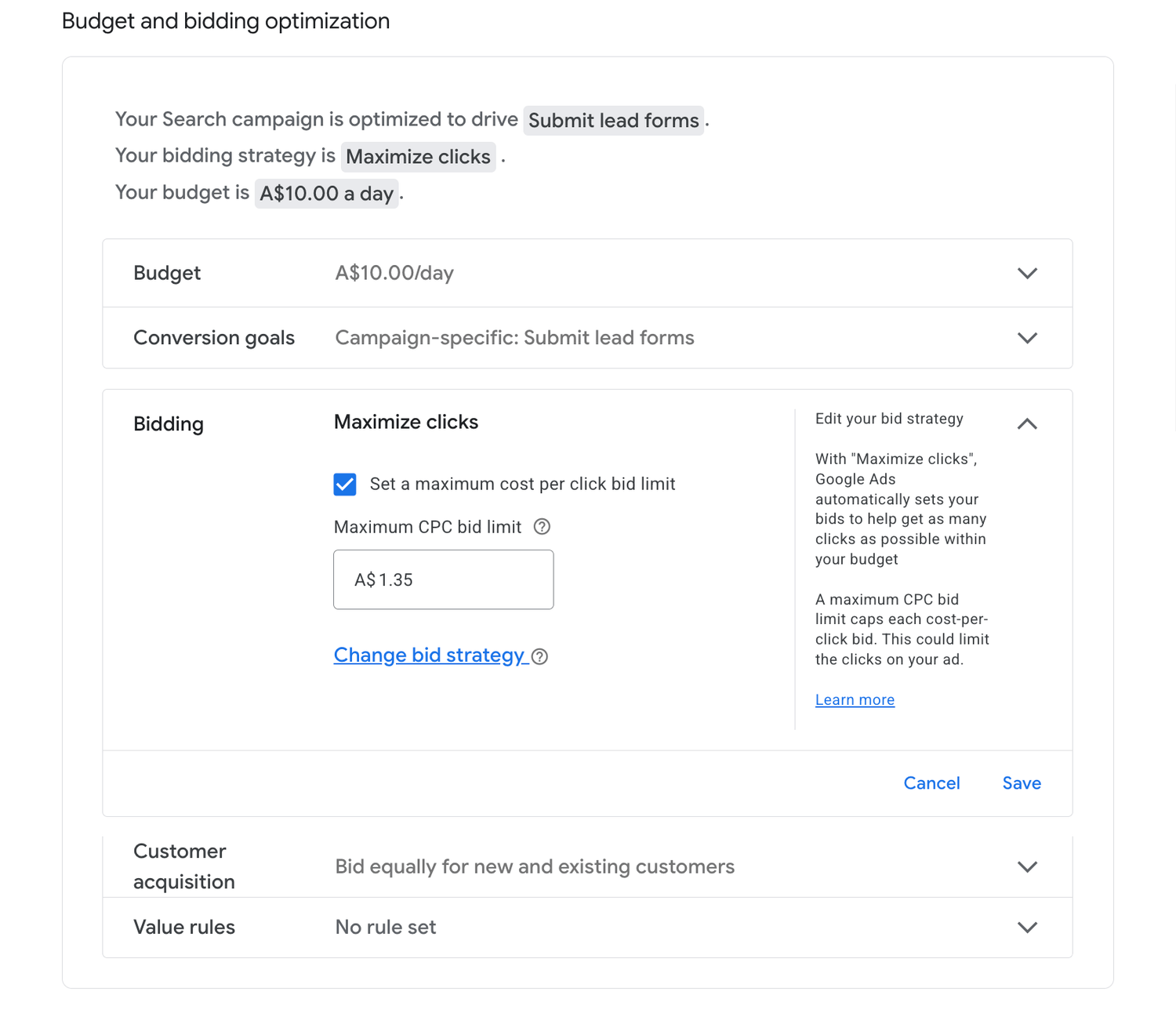
In the upcoming days, I made a few tweaks to the campaign while keeping the Maximize Clicks bidding strategy. Some of the changes triggered a new learning phase which led to increased waiting times.
Here are some of the actions I took:
Increased Max CPC to $1.55, then $1.75.
Added recommended keywords that I found to be relevant.
Removed non-performing keywords without any impressions.
Tweaked ad copy and landing page headlines to be more relevant to keywords.
Double-checked the "Search Term Report" to identify potential negatives.
As mentioned above, these changes triggered new learning phases multiple times, which led to the ads not performing as expected.
In the upcoming days, I made a few tweaks to the campaign while keeping the Maximize Clicks bidding strategy. Some of the changes triggered a new learning phase which led to increased waiting times.
Here are some of the actions I took:
Increased Max CPC to $1.55, then $1.75.
Added recommended keywords that I found to be relevant.
Removed non-performing keywords without any impressions.
Tweaked ad copy and landing page headlines to be more relevant to keywords.
Double-checked the "Search Term Report" to identify potential negatives.
As mentioned above, these changes triggered new learning phases multiple times, which led to the ads not performing as expected.
The Big Change
After a few weeks of optimising and waiting for Google to stop learning and start performing, I decided to change my bidding strategy to Manual CPC and move away from Smart Bidding, as that didn't seem to work for an account without any history.
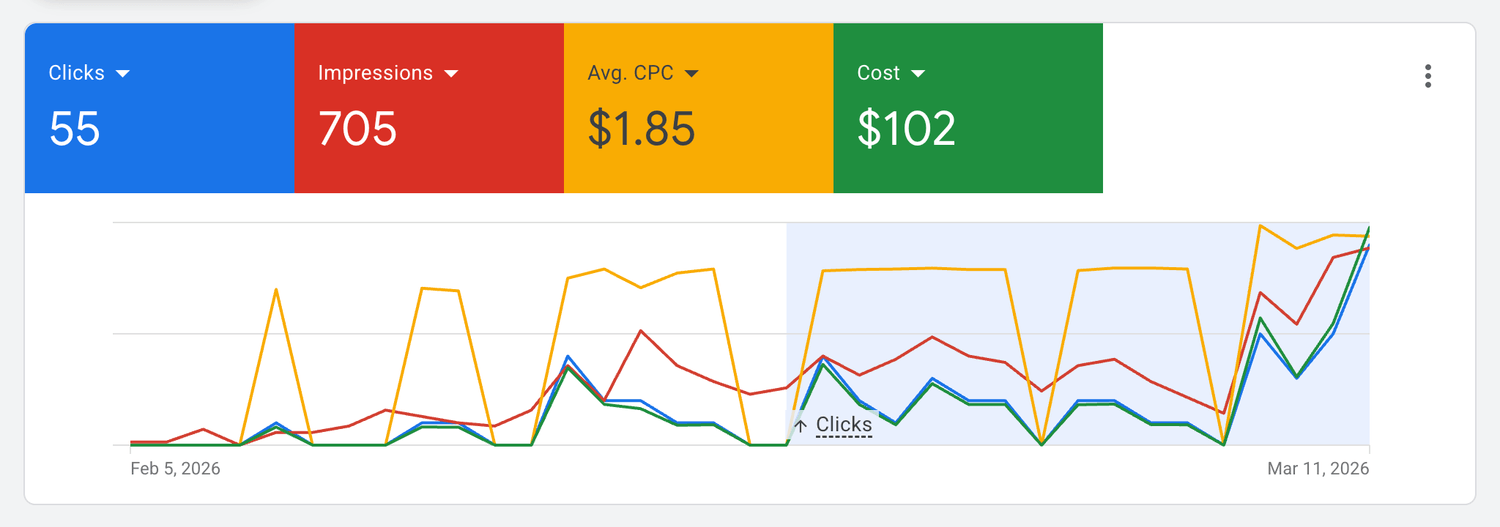
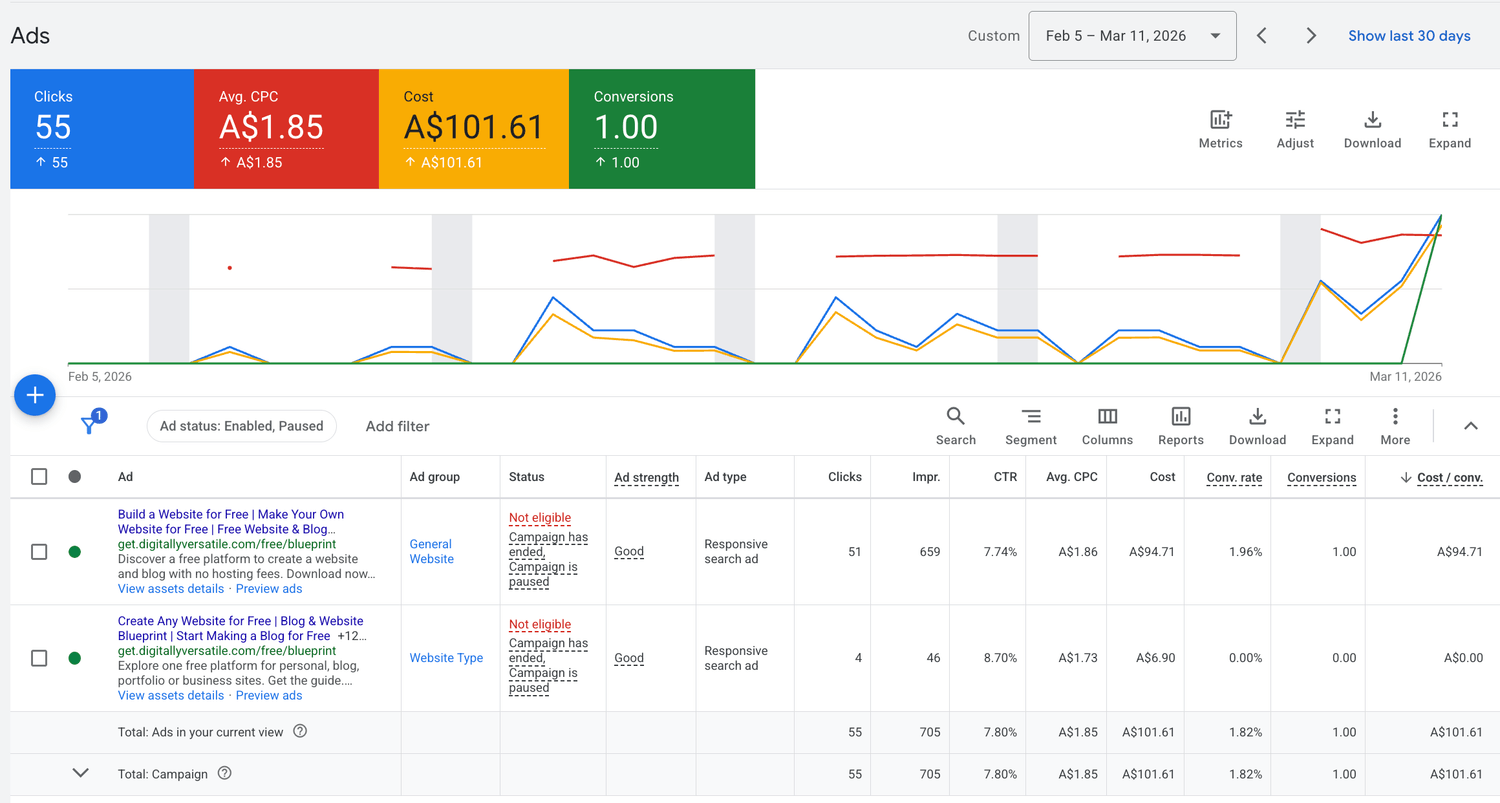
I set a new Max CPC to $2.20 and in a matter of a day, it all worked out very well. The daily cap of $10 was reached with 5 clicks very quickly. I tried optimising it one more time by lowering the bid to $1.95, which didn't work, and then settled on $2.10, which seemed to be the sweet spot. Plus, I managed to get another conversion which this time, using Manual CPC, was recorded inside of Google.
The Big Change
After a few weeks of optimising and waiting for Google to stop learning and start performing, I decided to change my bidding strategy to Manual CPC and move away from Smart Bidding, as that didn't seem to work for an account without any history.
I set a new Max CPC to $2.20 and in a matter of a day, it all worked out very well. The daily cap of $10 was reached with 5 clicks very quickly. I tried optimising it one more time by lowering the bid to $1.95, which didn't work, and then settled on $2.10, which seemed to be the sweet spot. Plus, I managed to get another conversion which this time, using Manual CPC, was recorded inside of Google.
Conclusion
By changing the bidding strategy, I was finally able to get the clicks I was hoping for and, on top of that, two conversions. I learned that even on a small budget it's possible to run a successful campaign; it all comes down to monitoring and optimising. I managed to stay on budget with an Avg. CPC of $1.85 and an overall CTR of 7.80%.
Conclusion
By changing the bidding strategy, I was finally able to get the clicks I was hoping for and, on top of that, two conversions. I learned that even on a small budget it's possible to run a successful campaign; it all comes down to monitoring and optimising. I managed to stay on budget with an Avg. CPC of $1.85 and an overall CTR of 7.80%.
©️ David Kempert | Built in Systeme.io
©️ David Kempert | Built in Systeme.io